Use it on your phone
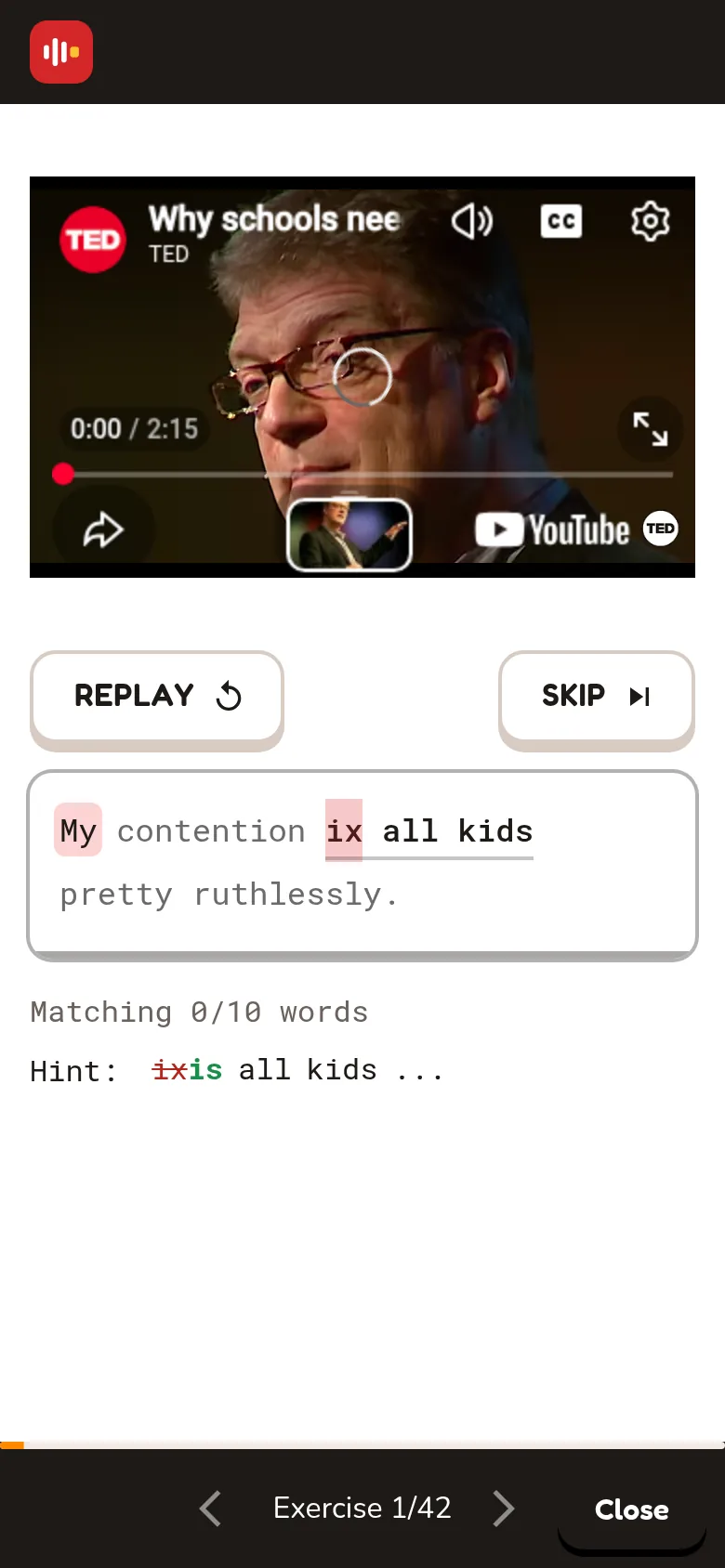
Tap the box, type, tap CHECK.
⏱ 30 seconds
- 1
Tap START
The sentence plays.
- 2
Tap the box
Type the missing words.
- 3
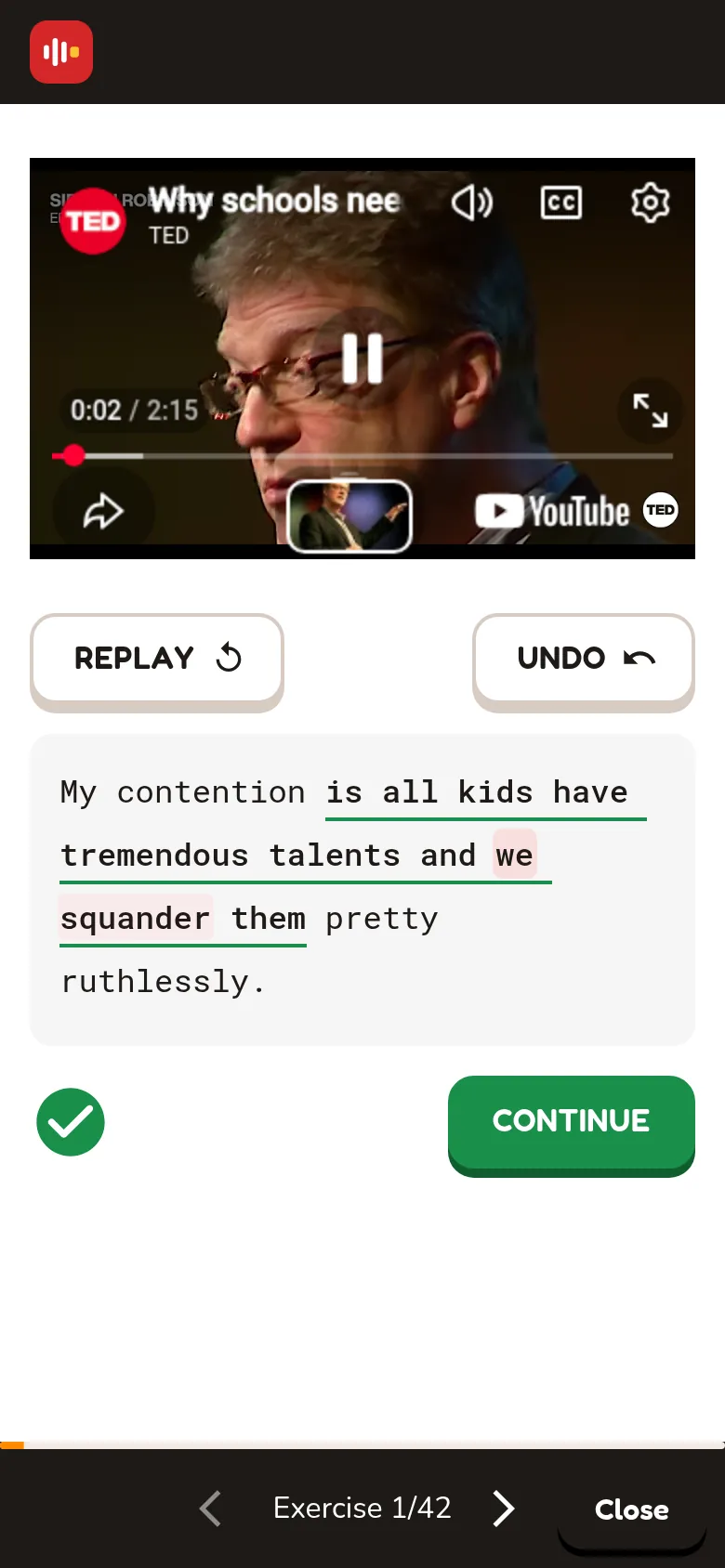
Type, then tap CHECK
Fix the red word and tap CHECK again.
- ✓
✓ Right! Tap CONTINUE
The ✓ comes by itself when all the words are right.
Phone tips
Use headphones
You'll hear small words much better.
Watch autocorrect
Your phone may change a word. Check the red word in the hint.
Find a video
Topics, search, Quick win, Sort and the filters work like on a computer. Swipe the topics sideways.
No fullscreen
In fullscreen you can't see the text box.
The top bar
Three icons: Videos ▶, My videos, and the chart for My progress. Your flame is next to them.
The keyboard waits
Tap the box when you want to type. Use the Replay and Skip buttons.